Nail printers have revolutionized the nail art industry, offering precision, speed, and creativity for salon professionals and at-home enthusiasts alike. However, like any advanced technology, nail printers can occasionally experience issues. Understanding how to identify and address these common problems can save you time and frustration. Below, we outline the most frequent nail printer challenges and how to resolve them.
1. Printer Fails to Power On
Possible Causes:
Loose or disconnected power cord
Faulty power adapter
Internal hardware issue
Solutions:
Ensure the power cord is securely connected to the printer and a working outlet.
Test the power outlet with another device to confirm it’s functioning.
Replace the power adapter if it shows signs of damage or wear.
If the problem persists, consult the manufacturer for repair or replacement options.
2. Poor Print Quality
Symptoms:
Faded colors
Blurred or smudged designs
Uneven application
Possible Causes:
Dirty or clogged print head
Low-quality ink or outdated cartridges
Incorrect nail surface preparation
Solutions:
Clean the print head as instructed in the user manual.
Use high-quality, manufacturer-approved ink and ensure cartridges are not expired.
Properly clean and buff the nail surface before printing to ensure a smooth application.

3. Connectivity Issues
Symptoms:
Printer not connecting to a smartphone, tablet, or computer
Frequent disconnections during operation
Possible Causes:
Weak or unstable Wi-Fi/Bluetooth connection
Outdated software or firmware
Solutions:
Ensure your device is within range and there are no obstacles interfering with the connection.
Restart both the nail printer and the connected device.
Update the printer’s firmware and the companion app to the latest versions.
4. Error Messages on Display
Possible Causes:
Specific internal error or misconfiguration
Solutions:
Refer to the user manual for an explanation of the error code.
Restart the printer to see if the issue resolves itself.
Reset the printer to factory settings if the error persists.
5. Ink Cartridges Not Recognized
Possible Causes:
Incorrect cartridge installation
Use of incompatible cartridges
Dirty cartridge contacts
Solutions:
Reinstall the cartridge, ensuring it clicks into place.
Use only cartridges recommended by the manufacturer.
Gently clean the cartridge contacts with a lint-free cloth and isopropyl alcohol.
6. Design Not Printing on Nail Properly
Symptoms:
Partial or skewed designs
No design on the nail
Possible Causes:
Misaligned nail positioning
Software calibration issues
Solutions:
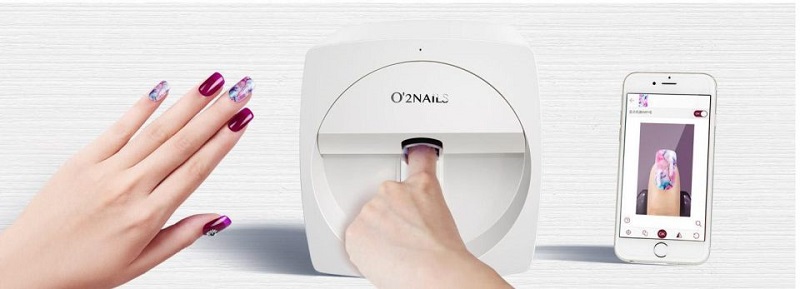
Follow the alignment guidelines provided by the manufacturer to ensure proper nail positioning.
Run the printer’s calibration process to align the print head accurately.
7. Frequent Jamming or Paper Feed Issues
Possible Causes:
Foreign objects inside the printer
Malfunctioning rollers
Solutions:
Inspect the printer for any obstructions and carefully remove them.
Clean the rollers to ensure smooth operation.
Contact technical support if the problem persists.

Maintenance Tips for Smooth Operation
Regular Cleaning: Periodically clean the print head and internal components to prevent clogs and debris buildup.
Software Updates: Keep the printer’s software and firmware up to date for optimal performance and new features.
Proper Storage: Store the printer in a dry, dust-free environment and cover it when not in use.
Conclusion
By understanding these common nail printer issues and their solutions, you can keep your device running smoothly and consistently produce stunning nail art. If troubleshooting doesn’t resolve a problem, don’t hesitate to contact the manufacturer for professional assistance. A little proactive care goes a long way in ensuring your nail printer remains a reliable tool in your beauty arsenal.
Comments
Post a Comment